
MC Event Countdown
 This is an easy way to add a daily countdown of days to a special event. Put it anywhere in your website that accepts shortcodes.
- The day count will change at midnight according to the time zone your website is set for.
- Use the calendar dropdown to designate the big day.
- You can type what you might want this shortcode to say before the date and/or after the date.
- Type text that appears (instead of the number) the day before the date (i.e. “The big day is tomorrow!”).
- Type what it will say on the day of the event (i.e. “WEDDING DAY”).
- Finally, choose the font you want this to appear in. Use a headline font for a header. Use normal, bold, or italic if you want the date to appear embedded in a sentence or paragraph.
- Just put the shortcode where you want it to appear. Done.
Download this Plugin from WordPress
Screenshot Examples
Settings: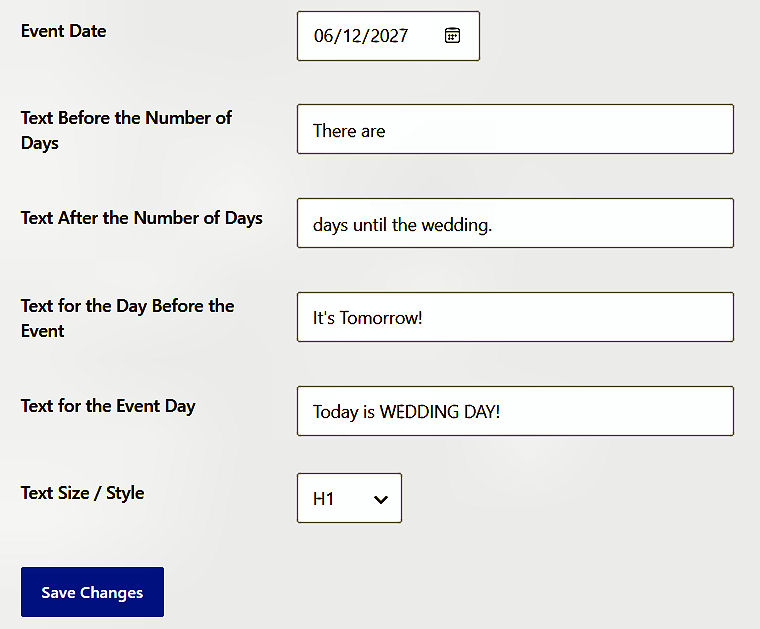
Counting down:

The day before:

The day of:

Countdown above the text:

Another included in the text: